







Error message

  • The specified file temporary://fileLtsZ7U could not be copied, because the destination directory is not properly configured. This may be caused by a problem with file or directory permissions. More information is available in the system log.
  • The specified file temporary://fileBi7xua could not be copied, because the destination directory is not properly configured. This may be caused by a problem with file or directory permissions. More information is available in the system log.
  • The specified file temporary://fileP4SqTi could not be copied, because the destination directory is not properly configured. This may be caused by a problem with file or directory permissions. More information is available in the system log.
  • The specified file temporary://fileY4kHmA could not be copied, because the destination directory is not properly configured. This may be caused by a problem with file or directory permissions. More information is available in the system log.
  • The specified file temporary://filek0Qe6C could not be copied, because the destination directory is not properly configured. This may be caused by a problem with file or directory permissions. More information is available in the system log.
  • The specified file temporary://fileCZhLeR could not be copied, because the destination directory is not properly configured. This may be caused by a problem with file or directory permissions. More information is available in the system log.
  • The specified file temporary://filedQYmbi could not be copied, because the destination directory is not properly configured. This may be caused by a problem with file or directory permissions. More information is available in the system log.
  • The specified file temporary://filexcQZZq could not be copied, because the destination directory is not properly configured. This may be caused by a problem with file or directory permissions. More information is available in the system log.
  • The specified file temporary://file5n1R5O could not be copied, because the destination directory is not properly configured. This may be caused by a problem with file or directory permissions. More information is available in the system log.

Image Management

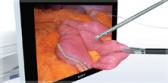
With Olympus' image management software, reliably capturing and instantly accessing patient data, clinical exam data, and endoscopic video acquired before, during and after a procedure is no longer a challenge. This integrated endoscopic management software is specifically designed to help reduce costs and save time while increasing productivity. Image management maximizes information access and gives physician the ability to digitally capture, label and store clinical images and video clips for further evaluation or diagnosis. These features and many more make it an excellent tool for increasing the efficiency of your lab while improving the quality of patient care.

Key Features:

  • Track patient encounter status via color-coded grid
  • Capture and store high-definition (HD) images and video clips for optimal clinical assessment
  • View live image on computer monitor
  • View current and previous exam images side-by-side for comparison
  • Label, annotate, and enhance images
  • Generate standard and customized management reports
  • Generate patient recall letters automatically
  • Generate referral letters, pathology requests and discharge instructions
  • Distribute documents automatically via email and/or fax

Download Documents